


CBS
3.88.27K Reviews
App Specs
- Version
- 16.0.1
- Updated On
- License
- Free
- Downloads
- 5,000,000+
- Developer
- CBS Interactive, Inc.
- Categories
- Entertainment
- Platform
- Android, iOS
Screenshots
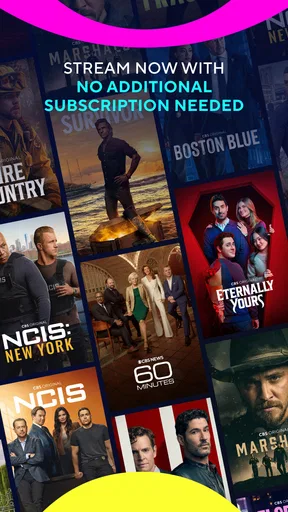
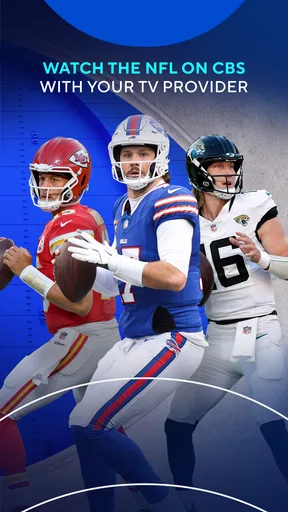
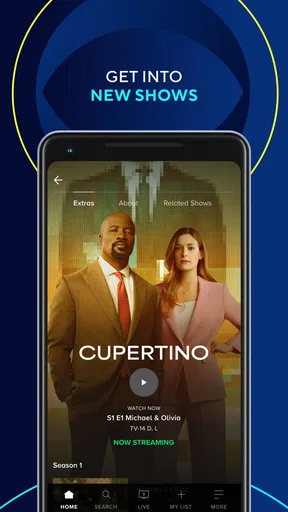
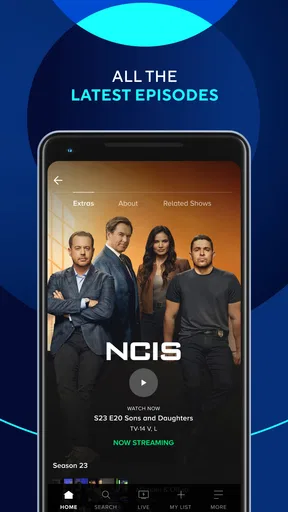
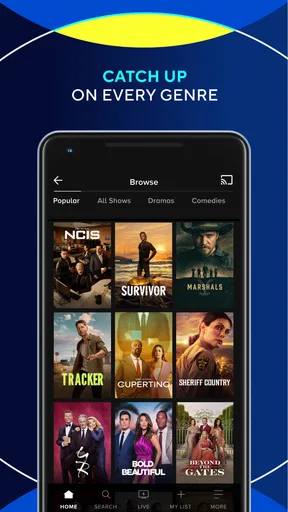
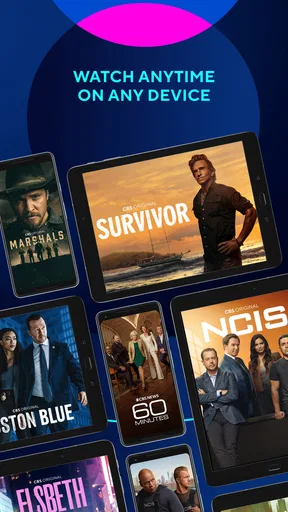
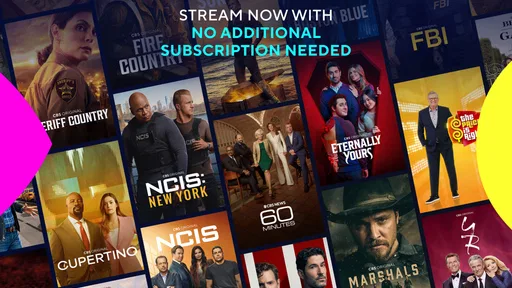
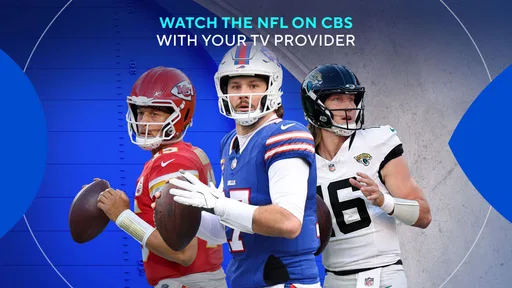
 Analysis by AppCompare
I spent time with CBS as a mobile entertainment app, and my overall impression is that it makes the most sense when you already want to follow CBS programming and have a dependable internet connection nearby. It is free to download, aimed at a Teen audience, and built by CBS Interactive, Inc. The app’s central promise is straightforward: bring new episodes and live television into a phone or tablet rather than making you sit in front of a traditional television.
That sounds simple, but the quality of the experience depends heavily on where and how you use it. At home on a steady connection, CBS feels like a convenient second screen and a useful way to catch up. On a weak mobile signal, it becomes much less predictable. I found that the app is best treated as a connected viewing tool, not as a replacement for every other way of watching television.
How CBS fits into everyday viewing
The app belongs to the entertainment category, and its focus is narrower than a general streaming service. I would open it when I specifically wanted CBS content, rather than browsing it as an all-purpose library for every kind of show. That distinction matters because the value comes from the relationship between the app and the network’s programming, not from offering an endless selection across many providers.
For a realistic everyday example, imagine finishing work later than planned and missing the beginning of a program. Instead of turning on a television immediately, I could use CBS on my phone to check whether the relevant episode is available and continue from a more convenient place. The phone is especially helpful when another person is using the main television, or when I want to watch a short portion while moving between rooms.
I also see a practical role for live television. A phone or tablet can be useful in a kitchen, bedroom, waiting area, or during a short break when a television is not within reach. The trade-off is that live viewing is more sensitive to network quality than ordinary browsing. A program can be perfectly watchable one minute and frustrating the next if the connection changes.
The app has attracted a substantial audience, with more than five million installs and an average rating of 3.8 from roughly twenty-three thousand ratings. Those figures suggest that plenty of people find a reason to keep it available, while the rating also hints that the experience is not universally smooth. I would not read the score as a verdict on CBS programming itself; it reflects the complete mobile experience, including access, playback, device behavior, and connectivity.
What happens when the connection is good
On a stable home network, the basic workflow is easy to understand. I launch the app, look for the program I want, and move into viewing without needing to treat the phone like a complicated media center. That simplicity is one of its strongest qualities. It does not require me to learn a new viewing habit just because I am using a smaller screen.
Worth Reading Before You Choose

EA SPORTS FC Mobile 26 Is a Bigger Football Game, but It Takes Time

Flipboard Shows What News Apps Must Do Beyond the Feed

Switching to Android Auto Means Rethinking Your Driving Routine

Google Calendar Makes a Crowded Week Easier to Manage

Ludo King Makes the Most of the Minutes Between Plans

Baby Panda World Brings Quick Play to Modern Phones, but Its Game Library Feels Busy
The strongest use case is planned viewing with a reliable connection. If I know I will be near Wi-Fi, the app can turn a tablet into a comfortable personal television. A larger tablet display is more suitable for a full episode, while a phone is better for a quick check, a short viewing session, or watching when portability matters more than immersion.
Live television creates a different rhythm from on-demand viewing. With a live stream, I am tied more closely to the current broadcast moment, so a brief interruption can be more annoying than it would be during a regular episode. I would choose live viewing when being current matters, but I would prefer an available episode when I want control over pauses and timing.
That is an important distinction for anyone comparing CBS with a conventional television setup. A television connected to a strong home signal may still feel more dependable for long viewing sessions, while the app wins when flexibility is the priority. Compared with a broad streaming platform, CBS is more focused, so it is a better fit for someone seeking CBS material than for someone who wants a large mixed catalog.
Using it away from home
Mobile viewing is where I noticed the most meaningful trade-offs. A phone is convenient because it is already with me, but convenience does not guarantee a stable stream. In a café, on public transport, or in a crowded public place, the experience can change according to signal strength and network congestion. I would avoid starting an important live program in a location where I cannot tolerate interruptions.
For short sessions, the phone format is appealing. I can check what is available, watch part of a program, and stop without setting up a television. For long episodes, however, the small display and changing surroundings can make the experience less comfortable. A tablet offers a better compromise, especially when I can place it on a stand and keep the device connected to a dependable network.
One useful habit is to decide whether the session is casual or important before pressing play. Casual viewing works well in changing conditions because a pause or quality adjustment is not a disaster. Important viewing deserves a stronger connection, a charged device, and a location where I am unlikely to lose service. That simple distinction prevents many of the frustrations people associate with mobile streaming.
I would also think about battery use. Watching video on a phone for a long period can consume power more quickly than ordinary reading or messaging. I would not begin a lengthy session while relying on a nearly empty battery, especially if I still need the phone for navigation, calls, or work afterward.
When playback fails and how I handle it
Connectivity problems are not always dramatic. Sometimes the app opens normally but the video takes longer to begin. Sometimes the stream pauses after playback has already started. In other cases, the issue may be the network rather than the app itself. The first recovery step I use is to stop treating every failure as a software problem and check whether other online services are also struggling.
If CBS is the only app behaving badly, I would close it and reopen it rather than repeatedly tapping the play control. I would also switch between available connections when that is practical, because a weak mobile signal and an overloaded Wi-Fi network can produce similar symptoms. Restarting a viewing session after the connection improves is often more effective than continuing to fight a stalled stream.
Live viewing deserves extra patience because there is less room for recovery when the stream breaks at the wrong moment. If I am watching something where missing a few minutes matters, I would choose a stable home connection and avoid moving around during playback. For relaxed viewing, I can accept a brief interruption, but I would not rely on the app as my only option for an event where continuity is essential.
Another practical point is to keep the app current. The version I reviewed is 16.0.1, and using a current release is sensible when dealing with video playback, device compatibility, and account-related behavior. I would also make sure the phone itself is running a supported system, since CBS lists Android 5.0 as the minimum operating system requirement. Older hardware may technically meet that requirement while still delivering a less comfortable viewing experience.
Recovery is easier when I plan for the possibility of failure. If I am at home, I can move closer to the router or use another screen. If I am outside, I can postpone the session rather than repeatedly spending mobile data on failed starts. This is not a glamorous feature, but it is the kind of practical thinking that makes the app feel more reliable in daily use.
Keeping mobile data under control
Video is one of the quickest ways to consume a mobile allowance, so I would be cautious about using CBS over cellular service for long sessions. The app’s usefulness on a phone can tempt me to start watching whenever I have a spare moment, but a few casual decisions can become a much larger data habit over time.
My preferred approach is to reserve longer viewing for Wi-Fi and use cellular connectivity for brief, intentional sessions. I would avoid leaving a live stream running while distracted or away from the screen. If I am only checking whether a program is available, I would browse first and start playback only when I am ready to watch.
It is also worth remembering that a strong signal does not necessarily mean inexpensive usage. A fast mobile connection can make streaming feel effortless while still using data quickly. For that reason, I would treat public or cellular networks as situational rather than assuming they are suitable for an entire episode.
People who frequently travel should think carefully about this limitation. The app can be convenient in a hotel, airport, or waiting room when dependable Wi-Fi is available, but it is less appealing when access is uncertain or costly. I would not choose it as my main travel entertainment plan unless I had already confirmed that my connection and data arrangements were suitable.
Who should use CBS, and who should skip it
I would recommend CBS to viewers who regularly follow CBS programming and want a direct mobile option for new episodes or live television. It is also a sensible choice for households where the main television is often occupied, and for people who prefer watching on a tablet or phone rather than being tied to one room.
The free price lowers the barrier to trying it, which is useful if you are unsure whether the app fits your routine. Still, free access does not remove the practical costs of connectivity, battery use, screen size, or interruptions. I would judge the app by how well it fits those conditions rather than by price alone.
I would skip it if I wanted one app to organize a wide range of unrelated networks and services. A general streaming alternative may be better for viewers who value a broad catalog above access to CBS material. I would also look elsewhere if uninterrupted travel viewing is my priority, since a mobile connection can be unpredictable and I would not assume that every desired viewing situation will be equally convenient.
Families should pay attention to the Teen content rating. That does not automatically make the app unsuitable for younger viewers, but it does mean I would not hand over the device without considering what the child may select. The rating is a useful reminder that the app is not designed as a purely child-focused destination.
What the app does better than ordinary alternatives
The most obvious alternative is traditional television. Television remains better for a shared living-room experience, a larger display, and a viewing setup that does not require holding a phone. CBS is better when I need flexibility, privacy, or a second screen. The choice is less about one replacing the other and more about whether I value mobility at that moment.
A broad streaming service may offer more variety, but that variety can also make it harder to get directly to the network content I want. CBS feels more purposeful when my viewing decision has already been made. I am not opening it to wander through dozens of unrelated genres; I am opening it because CBS is the destination.
Network websites or other viewing methods may sometimes be preferable on a computer, especially when I want a larger browser window or a more traditional desktop workflow. The app’s advantage is that it keeps the experience close at hand. That advantage matters most when the phone is already the device I use for the rest of my day.
One non-obvious trade-off is that a focused app can reduce decision fatigue while also limiting discovery. I spend less time searching through material that does not interest me, but I may also find fewer unexpected alternatives than I would on a large entertainment platform. For me, that makes CBS a companion to a wider viewing setup rather than a universal replacement.
My final view after using it
After testing CBS as a connected viewing app, I see it as a practical choice for the right viewer rather than an automatic recommendation for everyone. Its strongest qualities are direct access to CBS entertainment, the convenience of live television on a mobile device, and the ability to continue watching when the main television is unavailable.
Its main weakness is the dependence on conditions outside the app itself. A reliable network, enough battery, and a suitable screen make a noticeable difference. When those pieces are in place, the experience is straightforward. When they are not, the convenience of carrying television in a pocket can quickly become less valuable.
The developer, CBS Interactive, Inc., has made a free app that is easy to understand and clearly aimed at viewers who already have a reason to seek CBS content. With more than eight thousand written reviews and a Teen rating, it has a visible user base and a clear audience, but the moderate average score also encourages realistic expectations rather than blind enthusiasm.
My connectivity verdict is simple: CBS works best as a dependable Wi-Fi companion, not as a guaranteed solution for every mobile situation. I would install it if CBS shows are part of my regular viewing and I want the freedom to watch away from the television. I would keep another option available if I travel often, rely on limited mobile data, or need uninterrupted playback at all times.
In the end, I recommend giving it a try if your viewing habits match its focused purpose. CBS is most useful when the question is “How can I watch CBS here and now?” rather than “Which app contains everything I might want?” That narrower role is also what makes it worthwhile for the right person.
Pros
- Live news
- sports
- and entertainment are available in one app.
- Supports on-demand viewing
- so you can watch episodes at your convenience.
- The interface is simple to navigate and content is easy to find.
- Personalized recommendations help discover shows matching your interests.
- Available on both Android and iOS devices for flexible viewing.
Cons
- Many episodes require a paid subscription or TV provider login.
- Content availability can vary depending on your location.
- Some videos include frequent advertisements during playback.
- Live streaming may use substantial mobile data without Wi-Fi.
- Older devices may experience buffering or performance issues.
FAQs for CBS
What is the CBS app, and what can I watch with it?
The CBS app is a streaming platform for watching CBS programming on compatible Android, iPhone, iPad, smart TV, and streaming devices. Depending on your location and access level, it may offer live CBS broadcasts, current network shows, news, sports, specials, and a selection of on-demand episodes. The available catalog can change because of regional rights and licensing agreements.
Do I need a subscription or TV provider login to use CBS?
Some CBS content may be available without a paid subscription, but access to the complete library and live local CBS stream generally requires an eligible subscription or a participating television-provider login. In some areas, CBS content is included through Paramount+ or another authorized service rather than as a completely standalone package. Requirements can vary by country, plan, and device.
Can I watch CBS live on my phone or tablet?
Live viewing is supported on many mobile devices, but availability depends on your location, account type, local station rights, and the program being broadcast. After signing in, the app normally presents a Live section when your access qualifies. A strong Wi-Fi or mobile-data connection is recommended, since live video can consume substantial data and may be affected by network congestion.
Does the CBS app support offline downloads?
Offline viewing is not guaranteed for every CBS program or account type. Where downloads are offered through the relevant subscription service, only selected titles may support temporary offline playback, and downloaded content can expire or require periodic online verification. If offline access is important to you, check the download icon on individual programs and review the current plan restrictions before subscribing.
Why might CBS content be unavailable in my area?
CBS availability is strongly influenced by geographic licensing, local broadcast agreements, sports restrictions, and the service used to access the content. A show, live channel, or episode may appear in one region but not another, and some live broadcasts may require location verification. Using a VPN or changing your account region can also interfere with playback and may violate the service terms.


